How To Use SmallScenes.Info for Weather Information
Written by Ron Coscorrosa
I recently updated a handy resource that we use every single day when we travel for our photo trips: smallscenes.info. This website helps us quickly check the weather for our specific location, plus it offers easy access to other helpful location-specific information like maps and planning tools. If you find the smallscenes.info website helpful, you are welcome to use it, too. If you don't find it helpful, you are also welcome to use it.
This site has two main features:
- GPS: This is a page that automatically detects your location and then provides you with a list of handy weather and travel links for that location.
- LOCATIONS: This page includes links to weather and travel information for a list of popular photography locations, mostly in the United States.
The GPS page and the locations page (if you sort by GPS) will ask for your permission to use your current location. As scintillating as this data is, we don't use it nor store it nor care about it in any way. This is a safety feature built in to your browser to make sure you are aware that your location data is being used. If you want to use these features, you have to allow your browser to share your location.
Since I created this site for us to use, the Locations page is heavily biased towards our most frequently visited locations, and will be missing some of your favorite places. Even if this is the case, the GPS page will still be helpful for you when you are out in the field and want quick access to information for your current location. We will make minor updates from time to time and add more locations and links, so if you have suggestions, you can share them in the comments below.
Below, we share some basic instructions for how to use the GPS and Locations pages.

This is what you will see when you visit smallscenes.info. If you would like to see the list of locations as described above, click Locations. If you would like a list of links relevant to your current location, click GPS.

USING THE LOCATION PAGE
The screenshot above shows the type of information you will find on the Locations page. For US locations, the 7-Day link will take you to NOAA’s extended forecast for the selected location. Hourly will take you to the hourly NOAA weather graphs for the next six days for the selected location (this is what Sarah and I primarily use for simple cloud cover and precipitation forecasts). For locations outside the US, yr.no is used, although Windy also has some global weather. Sun will take you to the sunrise and sunset times for the selected location.
At the top of the page, you can use the filter to narrow down the area and location, and can sort by area, location, or GPS (the latter will sort by proximity to your current location). The filters and sorting are preserved in the URL so you can bookmark them easily when, for example, searching for Death Valley or Washington state.
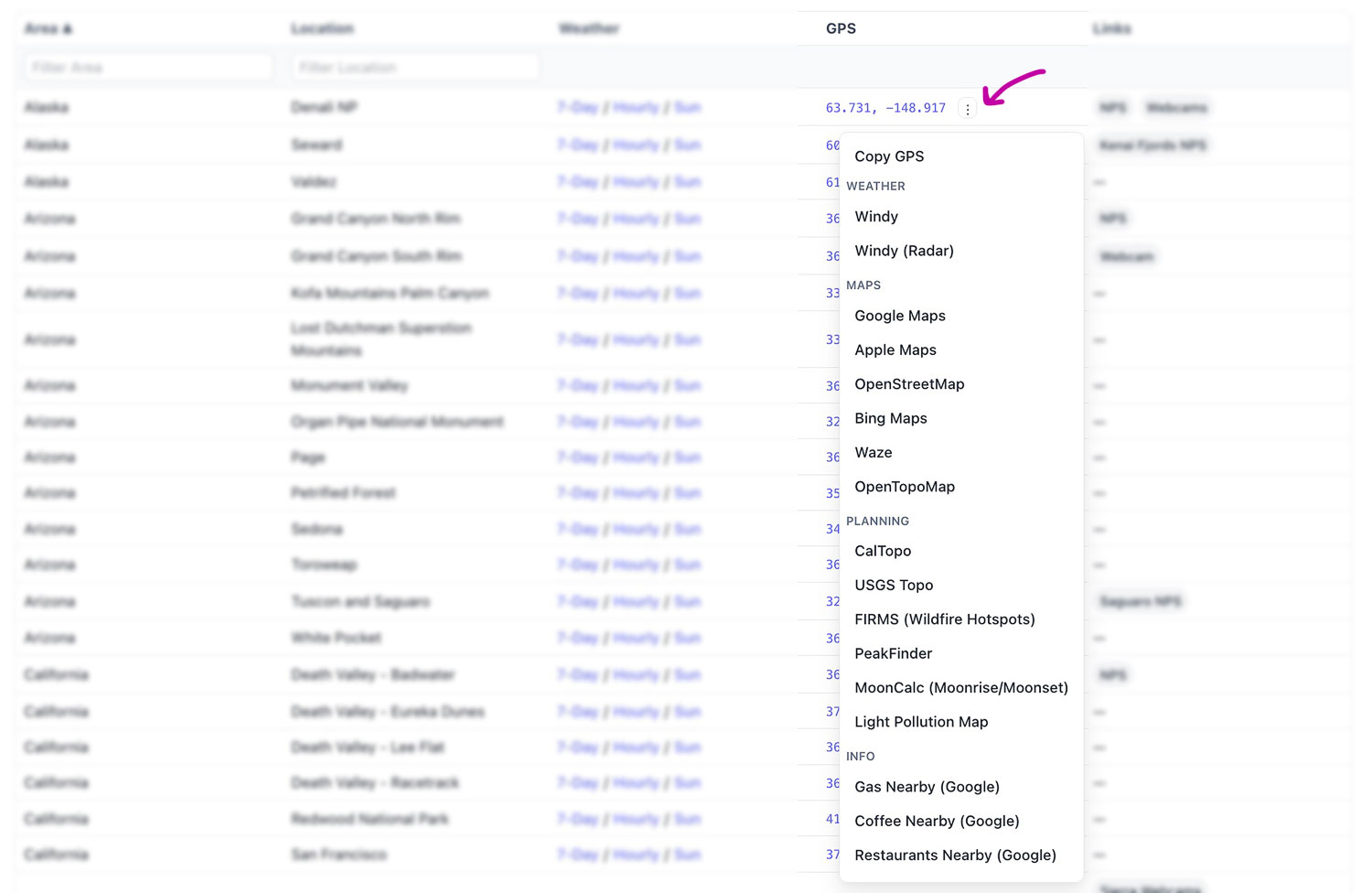
In the GPS column on the Locations page, you will see three small dots to the right (see the pink arrow above). If you click the dots, a new menu of links related to that location will open for your selection, as shown in the screenshot.
USING YOUR CURRENT LOCATION
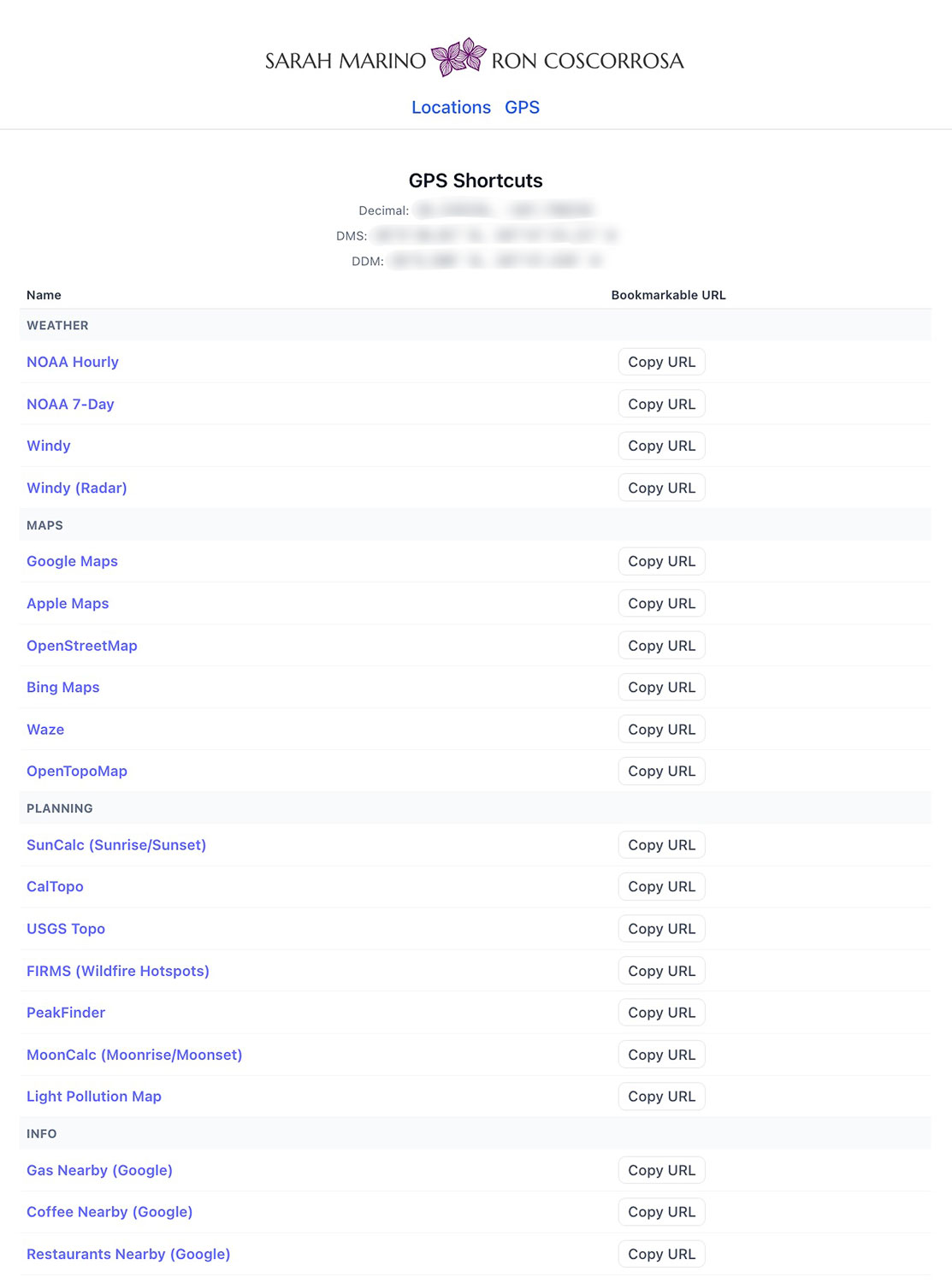
If you would like the site to determine your current location (instead of just the locations we have pre-selected), click GPS at the top of the webpage. Once your location is determined, it will be listed at the top in three different GPS coordinate formats, which you can click to copy for use in other programs (for example, the Gaia GPS app, Google Earth, etc). You can also click the blue links to access information for your current location on any of the listed websites (this is primarily how we use this page, especially to get the NOAA weather graphs in a single click).
Additionally, you can copy the URL for any of the listed resources to bookmark for later (these copied links are also "location aware" and will determine your current location before redirecting to the target site). When we are traveling, we use this page all the time as a very quick way to access weather information for our specific location, and we keep a few favorites in our phone bookmarks.
We hope you find this resource to be as helpful as we do!